interface design - DocTalk


Design Brief
About refugee crisis.
With the number of worldwide refugees and migrants sharply raising in the past few years, people start
to concern about a whole range of issues comes with this large amount of population migration, including
security problem, medical problem, mental health problem, educational problem, and employment problem.
Online background researching shows that there are already lots of applications focus on helping refugee
and migrant and solving their problems. Some of them mainly helps with employment, some focus on
medical support, some promote donation, some provides emergency aids. What are advantages and
disadvantages of these applications?(There will be analysis in this report.) And further more,
is there a better solution?
Background Research Key Findings
After background researching and interviewing, there is 2 main finding:
1.most of people do not know existing applications a lot. Either refugees do not think of the way to access
thes application to get help, or local people do not know much gatewaies to help these people.
2.Most application ´ s helping mode is that providing helps to refugees and migrants directly. Individuals go
to institution for help.Then they get help and go home,without a group or community or their own.
What if there is an application that gather them as a community? So each individual person
can actively , voluntarily get involved in all kinds of infomation.
Problem Solution
What is the problem?
In general legal documents are hard enough to read in one ´ s mother tongue, let alone
compounded again through the abstraction of translation. Our solution is Doc.Talk, a crowdsourced
knowledge based that helps with both these factors and hopefully alleviates in some
way the confusion that is faced by migrants when dealing with governmental procedures of
a foreign country.
What is Doc.Talk?
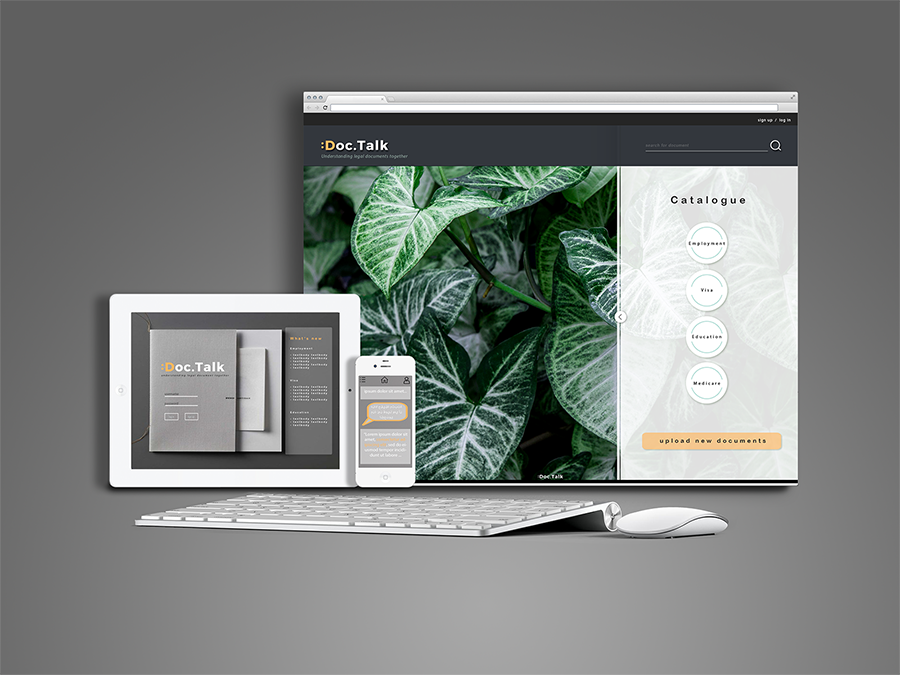
Doc.Talk is a reading application designed to help refugees and asylum seekers comprehend
and navigate the legal procedures that accompany the process of migration. Put
simply, it allows both former and current refugees and asylum seekers, along with legal
experts and refugee advocacy groups, to share their experiences and understanding of the
bureaucratic regulations that govern all immigration policies, with direct reference to the
legal documents that pertain to such policies.
How does it work?
Doc.Talk works by leveraging two key modes of translation: translation that operates horizontally
(i.e. translation between languages) and translation that operates vertically (i.e.
translation within the formality of language).
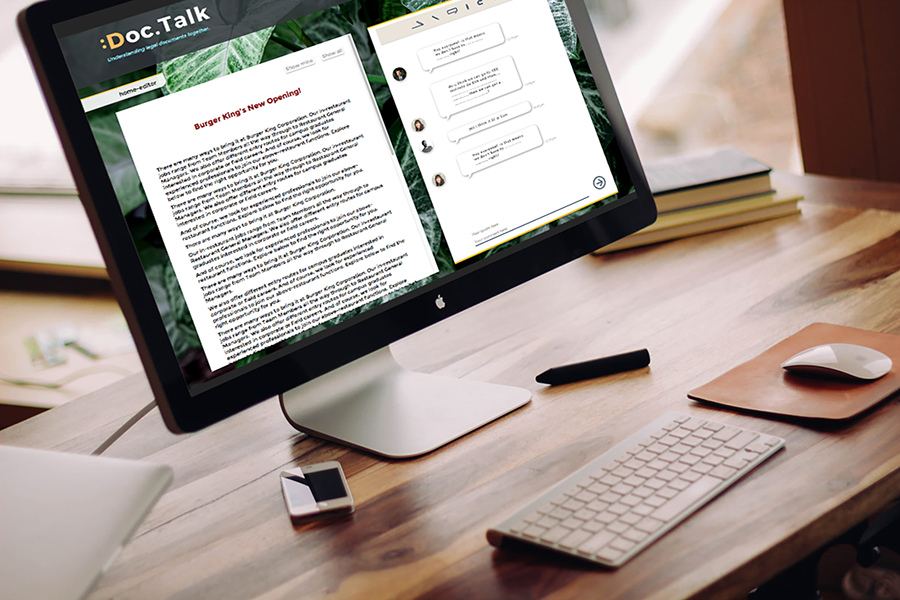
By highlighting very discrete and specific sections of text within legal documents and administrative
forms, Doc.Talk allows such texts to be translated from one language to another
and simultaneously be translated from formal, rigorous and technical language to more
colloquial and accessible forms of language.

Site-map
Static Mockup
Interactive Prototype
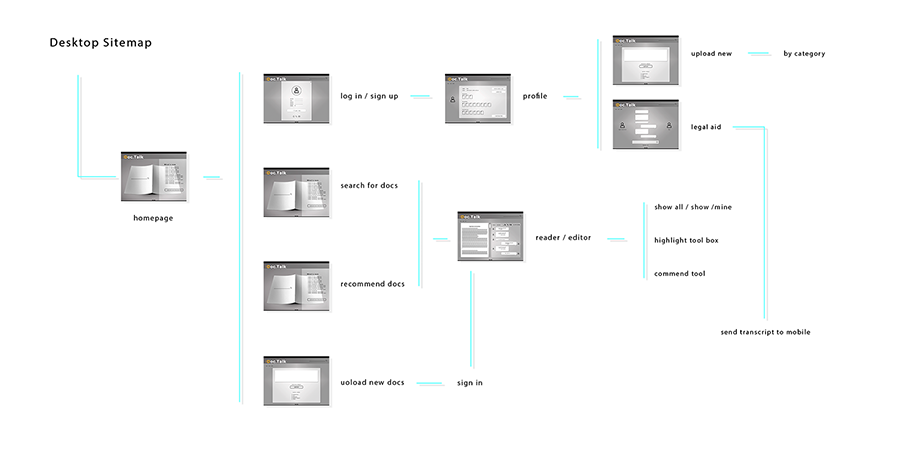
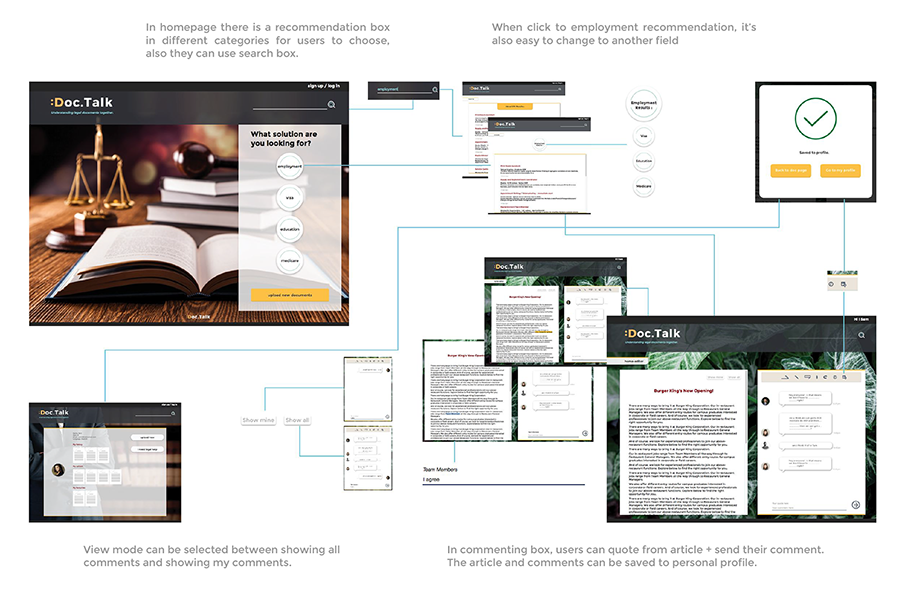
Flow and Implemented Features
Searching function.
Editing comments & quoting.
Saving documents to personal profile.
Changes from Static Mockups
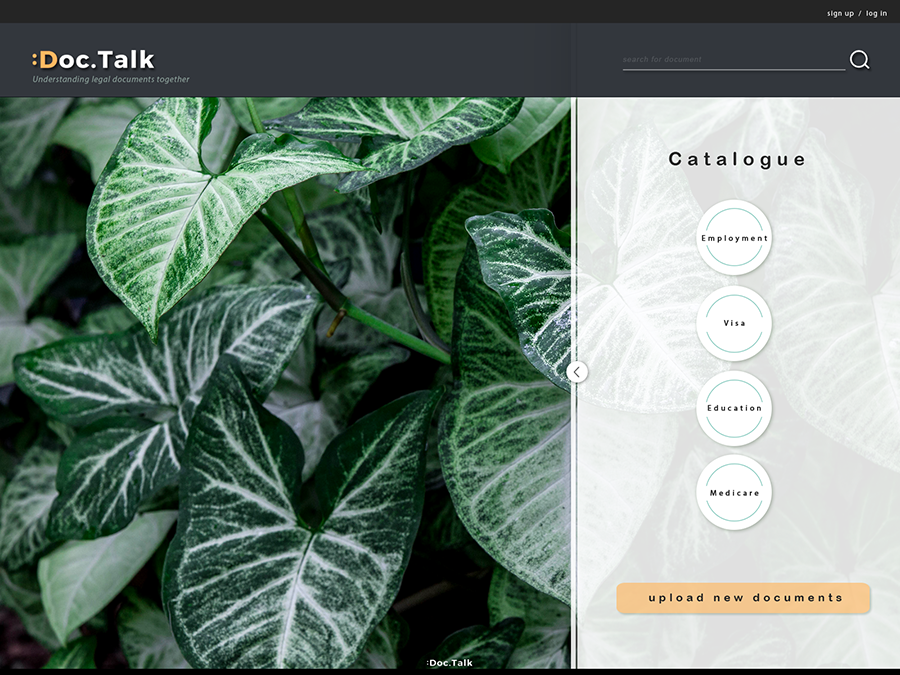
More theme-related background images.
Changes on the way of quoting & highlighting.
The features we implemented were chosen to reflect what we identified as core functional requirements of our application
and which we felt were most consistent with Tidwell ´ s principles of user-centred design, in particular the patterns
of Safe Exploration, Satisficing and Other People ´ s Advice (Tidwell, 2011, pp 10 -22).
Search was chosen to improve the usability of our application and help our users navigate the sheer number of legal
documents that they have to engage with.
Upload was chosen to reflect and emphasize the crowd-sourced nature of our application, as well as granting users
some degree of control over how they interacted with Doc.Talk.
Commenting was chosen because it is the key function of our application, as identified during our user research.
The features we dropped were our application ´s ability to connect users with legal assistance, as we felt that this
did not reflect the target user-base of our application and muddled one key purpose of Doc.Talk - to help refugees
understand legal documents.
We decided against implementing a direct translation feature within our application, as we felt that function was
better implemented through our usage of comments, and was inconsistent with our goal to create a crowdsourced
knowledge base.
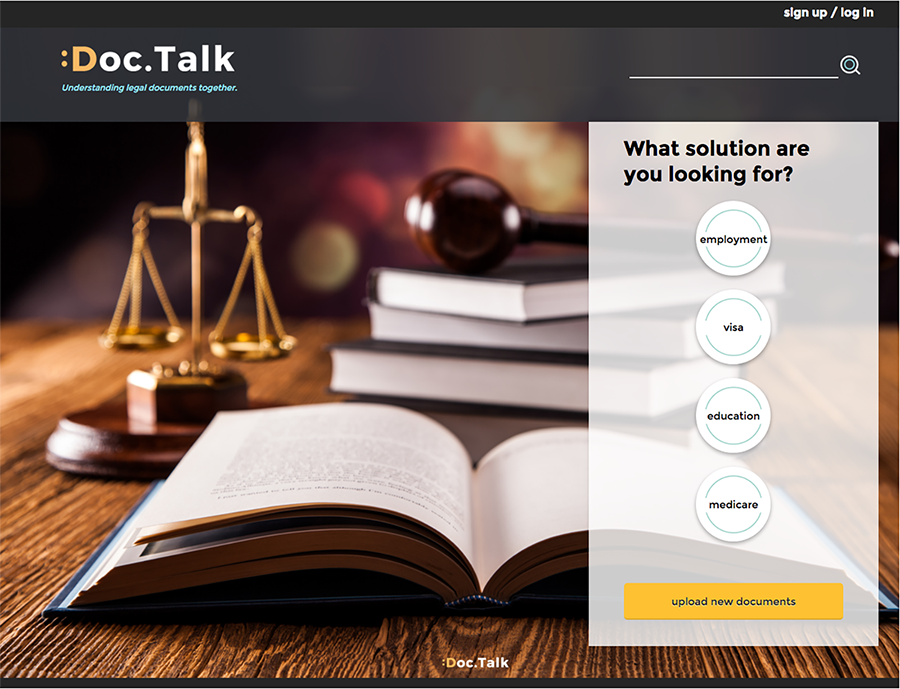
Key Features
Evaluation
User Test Results & Key Findings
Recommendation box´s button is hard to click on the right
place.
Editing icons are a little bit confusing.
User Quote:
I can not find a go back button where I can go back to the
previous page. - Danny
it looks like the title of the page so I think it is not clickable.
-Danny
The feedback from user tests indicates the interface is clear and
neat enough that users can easily understand. However user1(-
Danny) and user2(Azwad) both mentioned when they want to
back to the previous page, their is no button to click besides
¨back to homepage¨. Also, even there are already some of
effects and animations that can show this is a button, it is not
enough. Some buttons still can not work as a hint to let people
know there are more options by cliking it. In addition, some clickable
area is too small so the user tried several times to click on
button.
The color and the font successfully express the feeling of reliable,
the choose of yellow emphasis the function of buttons. But
the highlighting color in comment editing page can be chosen
more throughly. Different user´s highlighting can have difference
in terms of color